How to Run a HIPAA Security Risk Analysis at a Small Practice

A HIPAA security risk analysis is a review of the risks to electronic patient data that your practice creates, stores or sends. List where that data lives, rate the threats to each system and record what you will fix. Keep the paperwork for six years. A free federal tool can walk a small practice through the process.
This guide is for practice owners, office managers and health tech founders who handle patient records and have never completed a formal risk analysis, or did one years ago and filed it away. It follows the five steps that most small offices can finish in a few weeks. doctor.ebiz covers the business side of healthcare, and this requirement is one of the few that touches every practice, whatever its size or specialty.
The rule is old, but the pressure is not. Patient data now sits in the record system, the billing portal, the shared drive and the phone in a nurse's pocket. Each of those is a place where something can go wrong.
What Does a HIPAA Security Risk Analysis Require?
The Security Rule requires an accurate and thorough assessment of potential risks and vulnerabilities to the confidentiality, integrity and availability of electronic protected health information held by a covered entity or business associate. In practice, that means finding every system and device that touches patient data and judging how each could fail or be misused.
That wording comes from the risk analysis standard in the administrative safeguards section of the HIPAA Security Rule, 45 CFR 164.308. The rule labels the risk analysis as required, not optional. A business associate, such as a billing company or cloud vendor, carries the same duty for the data it holds.
Three words in that sentence matter most. "Accurate" means your inventory matches reality. "Thorough" means you cover every location, not just the main record system. "Potential" means you assess what could happen, not only what has already happened.
Step 1: Map Every Place Patient Data Lives
Begin with a plain list. Write down every system that creates, receives, maintains or transmits electronic patient data. Include the obvious ones, such as the record system and billing software, and the easy-to-forget ones.
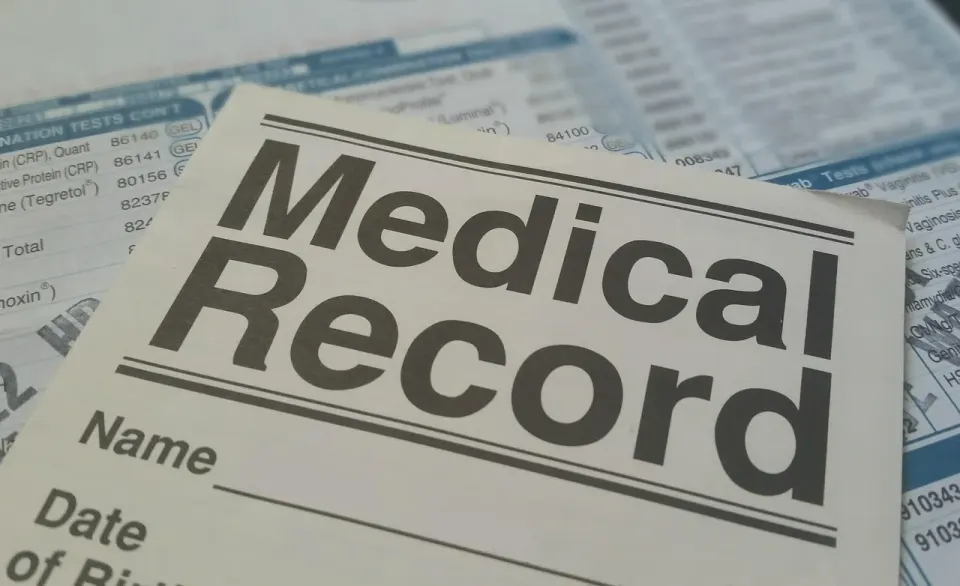
The easy-to-forget list is usually where the risk hides. Think of laptops that go home, tablets used in exam rooms, shared drives, scanners that save to a folder, fax-to-email services and staff phones that receive appointment photos. Add every outside vendor that stores or processes patient data, from the answering service to the cloud backup provider.
Note the location of each item and the person who owns it. A spreadsheet with four columns is enough: system, what data it holds, where it sits and who is responsible. If nobody owns a system, that is already a finding.
Walk the building once with the list in hand. Check the closet where the network gear lives, the printer that keeps scanned charts and the desk where the back-office laptop stays plugged in. Ask each staff member what they use to do their job, because the answer often includes a tool nobody put on the list.
Step 2: Use the Federal SRA Tool for a Small Practice
You do not need to invent a method. The Office of the National Coordinator for Health IT (ONC) worked with the HHS Office for Civil Rights to build a downloadable tool for this job. The Security Risk Assessment (SRA) Tool page says it is aimed at small and medium providers.
The tool is a desktop application that walks users through the process with multiple-choice questions, threat and vulnerability assessments, and asset and vendor management. It runs on 64-bit versions of Windows, and the information you enter stays on your own computer. HHS does not collect or store it. An Excel workbook version presents the same content in spreadsheet form for offices that prefer it.
Read the tool's own caution. The page warns that the survey alone may not identify every risk in an organization. Use it as a structure for your thinking, then add what you know about your own building, staff and vendors.
Step 3: Rate the Risks and Decide What to Fix
Once the inventory exists, look at each system and ask two questions. How likely is it that something goes wrong? How bad would it be for patients and for the practice if it did? A three-level scale of low, medium and high is enough for most small offices.

Here is a short example. A laptop with patient files that leaves the building every night is more likely to be lost than a desktop bolted to a reception desk. If that laptop has no disk encryption, the impact of a loss is high. Put it near the top of the list.
Keep the ratings simple and consistent. Two people scoring the same item should land close to each other, and a short note beside each score explains why. If a rating needs a long argument, break the system into smaller parts and score each part on its own.
Then decide what to do about each high and medium item. You can fix it, reduce it, hand it to a vendor under a written agreement, or accept it with a note explaining why. Give every action an owner and a date, and review your progress on a schedule.
The same Security Rule section asks you to review records of system activity on a regular basis, such as audit logs, access reports and security incident tracking reports. Someone in the office should look at those on a calendar, not only after a problem.
Step 4: Name Someone Responsible and Train Everyone
The Security Rule has a standard called assigned security responsibility. Put plainly, one named person owns the program. In a small practice, that is often the office manager or the practice owner. Write the name down.

The rule also calls for a security awareness and training program for all members of the workforce, including management. The doctor is not exempt. A short session at hire and a refresher each year covers the basics: spotting phishing emails, locking screens, reporting a lost device and not sharing passwords.
Add a sanctions policy. The rule says a practice must apply appropriate sanctions against workforce members who do not follow its security policies. Staff take the rules more seriously when they know the policy has teeth, and when managers follow the same rules they set for everyone else.
Step 5: Write It Down and Keep It for Six Years
An analysis nobody can show is an analysis that did not happen. The documentation requirements in 45 CFR 164.316 call for keeping required documentation for six years from the date it was created or last in effect, whichever is later.
The same section tells practices to make the documents available to the people responsible for carrying out the procedures. It also says to review documentation periodically and update it when the environment or operations change. Store the final report, the inventory, the risk ratings and the action plan together in a folder that more than one person can open.
Is a Risk Analysis a One-Time Task?
No. The Security Rule asks for periodic technical and nontechnical evaluation, and it ties that evaluation to environmental or operational changes affecting the security of patient data. A new record system, a move to a new office or a new vendor all call for a fresh look. Treat the analysis as a living file.
Many practices also test their contingency plans on a schedule. The rule calls for periodic testing and revision of those plans, and for assessing how critical each application and data set is to the rest of the plan. That ranking tells you what to restore first after an outage.
Where to Get Free Help
Small practices do not have to work alone. The HHS Cyber Gateway offers free cyber hygiene resources for organizations from small clinics to large health systems. It also lists voluntary cybersecurity performance goals that line up with federal guidance.
If you want a local partner, the National Institute of Standards and Technology (NIST) small business cybersecurity page links to a programs finder that helps small organizations locate support services in their region. Ask your state medical society or practice management association whether they run group sessions too.
Conclusion
A security risk analysis is a documented, repeatable look at where patient data lives and how it could be lost or misused. Map the systems, use the federal tool, rate the risks, name an owner, train staff and keep the paperwork. Then revisit it whenever the practice changes.
Next step: block two hours this week to build the inventory in Step 1. Once the list exists, the rest of the process has something to work on.
Fact-checked as of October 30, 2026 by the doctor.ebiz editorial desk against the text of 45 CFR 164.308 and 164.316 and the ONC Security Risk Assessment Tool page. This article is general information, not legal advice. Check your own obligations with qualified counsel or your compliance adviser.
Is a HIPAA security risk analysis required for a small practice?
What is the SRA Tool and what does it cost?
How long do you have to keep risk analysis documentation?
How often should a practice update its security risk analysis?
TL;DR If you only remember this
- The Security Rule requires an accurate and thorough risk analysis.
- Start by listing every system and device that touches patient data.
- A free federal tool guides small practices step by step.
- Name one person responsible and train every staff member.
- Document the work and keep records for six years.